May 27, 2026 · 6 min read
A Spyware Investigator at Amnesty International Exposed Russian Government Hackers Trying to Hijack Signal Accounts—The Campaign Abuses Signal's Legitimate Linked Device QR Code Feature to Silently Mirror Messages, Targeted More Than 13,500 People Including Journalists and Politicians, and Bypasses End to End Encryption Without Breaking the Cryptography
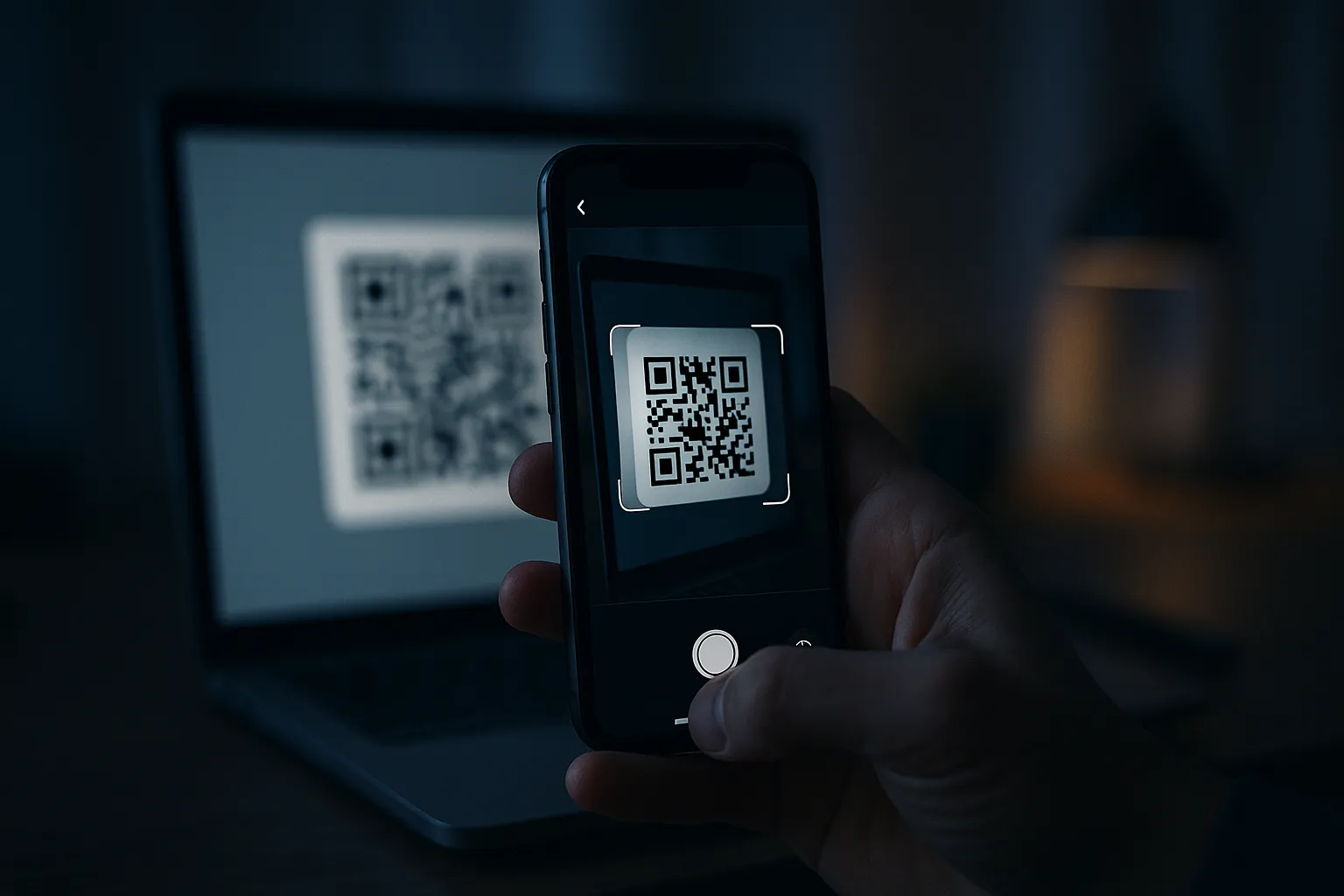
TechCrunch reported on May 14, 2026 that Donncha Ó Cearbhaill, who heads Amnesty International's Security Lab, became a target of Russian government hackers attempting to hijack Signal accounts. The technique does not exploit a software bug. It abuses Signal's own linked device feature: trick a target into scanning a malicious QR code, and the attacker's device becomes a silent second endpoint on the victim's account, mirroring every new message in real time. More than 13,500 people were targeted, and end to end encryption offers no protection once the link is established.
Key Takeaways
- Donncha Ó Cearbhaill of Amnesty International's Security Lab was personally targeted by a Russian government campaign that tried to hijack Signal accounts using the app's legitimate linked device feature, TechCrunch reported on May 14, 2026.
- The attack works by tricking a target into scanning a malicious QR code disguised as a group invite, a security alert, or a device pairing prompt, which silently links the attacker's device to the victim's account.
- Once the link is established, every message the victim sends or receives is duplicated to the attacker's device in real time, bypassing Signal's end to end encryption without breaking the underlying cryptography.
- Mandiant attributed overlapping activity to Russia aligned actors including UNC5792, UNC4221, the GRU's APT44 (Sandworm), and the FSB's Turla, with more than 13,500 people targeted across journalists, activists, and politicians.
- The defensive answer is to enable Signal's Registration Lock PIN, audit your Linked Devices list, and refuse to scan any QR code presented through an unverified message or page.
How Does the Signal Linked-Device Attack Work?
The attack abuses a feature Signal ships on purpose: the ability to run one account on several devices at once. Signal lets you link a desktop app or tablet to your phone by scanning a QR code that encodes a device linking instruction. The instruction is a URI in the form sgnl://linkdevice?uuid=...&pub_key=.... When your phone scans a legitimate version of that code, it authorizes the new device as a peer on your account.
The Russia aligned operators studied by Mandiant simply substitute their own device linking URI. They wrap it in a page that looks like a Signal group invite, a security notice, or pairing instructions copied from the Signal website. When the target scans it, their phone happily links a device the attacker controls. From that moment, Signal does exactly what it is designed to do: it synchronizes new messages to every linked endpoint, including the attacker's. There is no malware on the victim's phone, no crash, no exploit payload. The compromise is a configuration change the victim authorized without understanding what they were authorizing.
In remote phishing, malicious codes have been masked as legitimate Signal resources. In more targeted operations, one cluster mimicked Kropyva, a Ukrainian military artillery guidance application, and embedded the device linking code inside a fake version of software the targets already used. The result is a persistent, low signature eavesdropping backdoor that produces almost no detectable activity on the device itself.
Who Discovered It and Who Is Behind It?
The investigator is Donncha Ó Cearbhaill, who runs the Security Lab at Amnesty International and spends his working life dissecting commercial spyware used against activists. He became a target himself when he received a phishing message impersonating Signal support, which warned of "suspicious activity" and a "data leak" and pressed him toward a fake "Signal Security Support Chatbot" designed to harvest a device link.
Ó Cearbhaill theorized he was selected through a snowball effect: he had been in a group chat with someone already compromised, and the attackers harvested the group's contact list to find new targets. That is how a campaign reaches more than 13,500 people. German publication Der Spiegel reported that Russian hackers compromised several people inside Germany, including high profile politicians.
Attribution is unusually firm for this kind of operation. The U.S. CISA, the UK's NCSC, and Dutch intelligence all warned about the campaign, and the FBI issued its own alert about Russian intelligence targeting Signal and WhatsApp through mass phishing. Mandiant's analysis ties overlapping activity to several state sponsored clusters: UNC5792, which alters legitimate group invite pages; UNC4221, which built the fake Kropyva lures; APT44, also known as Sandworm, attributed to Russia's GRU; and Turla, attributed to the FSB. The tooling itself carried a Russian language codebase and translated intercepted chats into Russian.
Why Does End to End Encryption Not Stop This?
End to end encryption protects messages in transit between endpoints, and this attack does not touch messages in transit. It quietly turns the attacker into one of the endpoints. Signal encrypts a message so that only the account's authorized devices can read it, then delivers a copy to each of those devices. The attack adds the attacker's device to that authorized set. The cryptography continues to work perfectly, and that is precisely the problem.
This is the recurring lesson of attacks on secure messengers: the encryption is rarely the weak point. The weak point is the trust decision at the edges, the moment a human authorizes a new device, approves a contact, or follows a link that looks routine. An attacker who controls an endpoint reads everything in plaintext, because the endpoint is where plaintext lives. The same logic underpins the metadata fights that surround these apps, which we cover in our piece on Signal, Canada's Bill C-22, and lawful access to metadata.
Who Is Most at Risk?
The people most at risk are exactly the people who rely on Signal because they cannot trust other channels: journalists protecting sources, activists coordinating under hostile governments, human rights workers, and officials handling sensitive communications. The campaign's target list reflects this, ranging from Amnesty staff to European politicians.
Two features of the attack make this population especially exposed. First, the snowball mechanism means that being careful yourself is not enough. If a single contact in a group is compromised, the attacker can scrape the group and craft tailored lures for everyone else in it. Second, the operators tailor their lures to the target's real workflow, as with the fake Kropyva application, so the bait does not look like generic spam. It looks like a tool the target already trusts.
This sits inside a broader, well documented pattern of state sponsored actors going after the communications of reporters and dissidents. Our coverage of the IFJ global surveillance study on journalists documents how systematic this targeting has become, and our reporting on APT28's router, DNS, and Outlook token operations shows the same Russian intelligence apparatus reaching for adjacent footholds. The pattern keeps repeating: in July 2026, hackers seized journalist Ksenia Sobchak's Telegram channels after breaching her email account, no spyware required.
How Do You Lock Down Your Signal Account?
The single most important step is to refuse to scan QR codes you did not initiate yourself, and then to verify what is linked to your account. Concrete steps, in order:
- Audit your linked devices now. Open Signal, go to Settings, then Linked Devices. Anything you do not personally recognize should be removed immediately. Make this a recurring weekly check, because the attack class will outlive this specific campaign.
- Enable Registration Lock. In Settings, Account, turn on Registration Lock and set a PIN. This prevents anyone from re registering your phone number on a new device without the PIN, which raises the cost of the takeover variants of this campaign.
- Never scan a QR code delivered through a message or page. Legitimate device linking starts on the device you want to add, never from an inbound "security alert," "group invite," or "support chatbot." Treat any unsolicited prompt urging you to scan or to enter a code as hostile by default.
- Keep the app and operating system current. Signal shipped hardened anti phishing changes on both Android and iOS, so install updates promptly. High risk iPhone users should enable Apple's Lockdown Mode to reduce attack surface.
If you find an unrecognized linked device, assume every message synced during the window was read by an outsider, remove the device, change your Registration Lock PIN, and warn the contacts you communicated with during that period. Because the attack spreads through group membership, telling your contacts is not a courtesy. It is how you stop the snowball from rolling to the next person. For another front in the encryption fight, see the CPJ amicus brief asking the Ninth Circuit to keep NSO Group off WhatsApp forever.
Sources and further reading: TechCrunch, the Google Cloud / Mandiant threat intelligence report, and BleepingComputer.