Jun 24, 2026 · 6 min read
Is Campaign Monitor Tracking Your Email? How to Block It
Every email sent through Campaign Monitor arrives in your inbox carrying invisible surveillance code — on by default, with no recipient opt-out. Here's what it collects and how to stop it in Gmail.
Every email sent through Campaign Monitor — now officially branded Campaign Monitor by Marigold — arrives in your inbox carrying invisible surveillance code. The platform, which serves over 250,000 businesses worldwide and sits inside the Marigold group alongside Sailthru, Emma, and Cheetah Digital, embeds open-tracking pixels and click-tracking redirects into every outgoing campaign by default. Recipients never see a notification. There is no opt-in. The tracking fires the moment your email client loads the message, and the data flows directly into the sender's analytics dashboard, feeding segmentation lists and automated follow-up sequences.
Key Takeaways
- • Campaign Monitor embeds a 1x1 tracking pixel in every email campaign by default — recipients cannot disable it on their end.
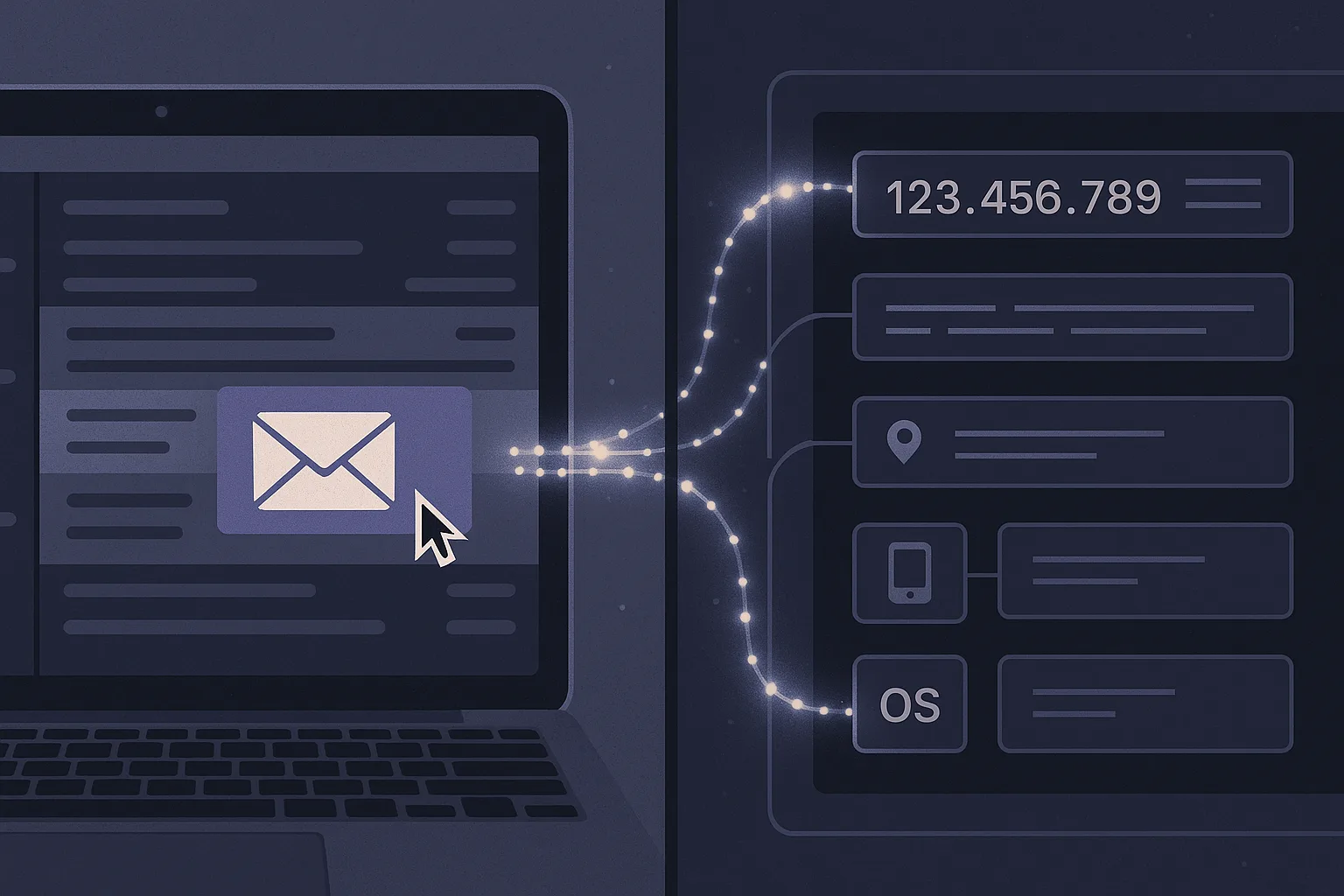
- • Each open records your IP address, approximate location, device type, operating system, email client, and precise timestamp.
- • Campaign Monitor's journey automation uses open data as a trigger condition, meaning reading one email can automatically enroll you in a new drip sequence.
- • Gmail's native proxy option suppresses your IP but still confirms the open occurred; Gblock blocks the tracking event entirely.
Does Campaign Monitor Track Email Opens?
Campaign Monitor tracks email opens using a 1x1 pixel — a transparent image so small it is invisible to the naked eye. When you open an email, your client fetches this image from Campaign Monitor's servers. That HTTP request is the tracking event. The server logs it, associates it with your unique subscriber record, and the sender's analytics update in real time.
Campaign Monitor's own documentation acknowledges this mechanism directly. Open tracking is enabled for campaigns by default — senders must affirmatively request its removal by contacting Campaign Monitor's compliance team. For the overwhelming majority of campaigns, open tracking is simply on with no action required from the sender and no notification sent to you as a recipient.
What Data Does Campaign Monitor Collect From Each Open?
One pixel load generates a surprisingly detailed profile update. Campaign Monitor records:
- Timestamp — the exact date and time of the open, down to the second
- IP address — mapped to a geographic location, typically city-level precision
- Device type — desktop, mobile, or tablet
- Operating system — Windows, macOS, iOS, Android
- Email client — Gmail, Apple Mail, Outlook, and others
- Open count — whether the email has been opened once or multiple times
This data is not just stored for reporting. Campaign Monitor's journey builder lets senders use "opened" as a trigger condition inside automated workflows. Open a promotional email and you may automatically enter a three-email nurture sequence, get tagged as "engaged," or be moved off a suppression list — all before you have taken any deliberate action beyond reading your inbox.
Marigold, the parent company formed by merging Campaign Monitor, Cheetah Digital, Sailthru, Selligent, Emma, Liveclicker, and Vuture, promotes this data layer as a competitive advantage for brands building personalized experiences. From the recipient's perspective, it means open events from Campaign Monitor emails feed a marketing intelligence stack that spans multiple platforms.
How Does Campaign Monitor Click Tracking Work?
Open tracking only tells a sender their email was seen. Click tracking tells them exactly which links you engaged with, when, and from what device.
Campaign Monitor rewrites every link in an outgoing campaign before delivery. Your original destination URL gets replaced with a Campaign Monitor redirect URL that passes through their tracking servers first. When you click, your browser hits Campaign Monitor's infrastructure, the click event is logged, and you are then forwarded to the intended destination. The whole redirect takes milliseconds.
Each click event records which link was clicked (by index and original URL), the timestamp, device type, and whether it was the first click or a repeat. Campaign Monitor's journey triggers support "clicked a link" as a distinct automation condition — clicking a product page can trigger a purchase-intent sequence, while clicking an unsubscribe link routes through a different workflow entirely. Click data can also flow into connected CRMs and analytics platforms via Campaign Monitor's integrations, extending the tracking footprint beyond the platform's own systems.
One practical consequence: even forwarded emails carry this risk. If someone forwards a Campaign Monitor email to you and you click a link, your device type and approximate location are still logged — associated with whoever's email address the message was forwarded from.
Can You Opt Out of Campaign Monitor Email Tracking?
No — not as a recipient. Campaign Monitor's tracking is controlled entirely by the sender. The platform does include an account-level setting that lets senders disable open and click tracking, but this requires a specific approval process through Campaign Monitor's compliance team. Most senders do not pursue this. For the subscriber receiving the email, there is no "do not track" preference to set, no privacy toggle in a subscriber preferences page (unless the account owner has specifically enabled that option), and no notification that tracking is occurring.
This asymmetry is not unique to Campaign Monitor. This guide to email trackers for Gmail covers the full landscape of what gets sent across platforms. The GetResponse tracking guide shows how an identical mechanism operates across a different major email marketing platform. The sender pays for the tool; the sender controls the settings. Client-side blocking is the only reliable defense available to you as a recipient.
How to Block Campaign Monitor Tracking in Gmail
Two approaches work in Gmail, with meaningfully different tradeoffs.
Option 1: Gblock (Recommended)
Gblock is a Chrome extension built specifically to block email tracking in Gmail. It intercepts tracking pixels before they load, preventing the open event from ever reaching Campaign Monitor's servers. It also handles click-tracking redirects — instead of passing through Campaign Monitor's tracking infrastructure, Gblock extracts the final destination URL and takes you there directly, recording nothing along the way. Legitimate images — product photos, logos, newsletter graphics — still load normally.
Option 2: Gmail's "Ask Before Displaying External Images"
Gmail's built-in privacy option, under Settings → General → Images, can be set to "Ask before displaying external images." When enabled, Gmail blocks all external image loads by default, which includes tracking pixels. The tradeoff is significant: this setting blocks every external image in every email, including product photos and company logos. Emails arrive with broken image placeholders until you manually approve each message. It also does nothing about click-tracking redirects embedded in link URLs.
Gmail Proxy vs Gblock: What Each Actually Blocks
Many Gmail users assume that because Google routes images through its own proxy servers, tracking pixels cannot fire. This is partially correct — the proxy hides your IP address from the sender. It does not prevent the open event itself.
| What it does | Gmail Proxy | Gblock |
|---|---|---|
| Hides your IP address from the sender | ✓ Yes | ✓ Yes |
| Confirms an open occurred | ✗ Still fires the pixel | ✓ Blocks the request entirely |
| Blocks click-tracking redirects | ✗ No | ✓ Yes |
| Lets non-tracking images load normally | ✓ Yes | ✓ Yes |
A full walkthrough of how to block email tracking in Gmail covers setup across both approaches with step-by-step instructions.
Why Campaign Monitor's Scale Makes This Matter
Marigold describes itself as helping 40,000 brands deliver personalized experiences at scale, with Campaign Monitor as one of its flagship products for small and mid-market senders. That translates to hundreds of millions of tracked emails sent every month across retail, nonprofits, media, e-commerce, and professional services.
The aggregate effect is that open and click data from Campaign Monitor campaigns does not stay isolated. It feeds into connected CRMs, data enrichment platforms, and Marigold's own cross-product analytics stack. A single email open from your Gmail account contributes a location ping, a device fingerprint, and a behavioral signal to a marketing profile that may already include purchase history, browsing behavior, and demographic data from other sources.
Individual open events look innocuous. Hundreds of them, accumulated across months of marketing emails, paint a detailed picture of your schedule, location patterns, and interests — built without your active participation and with no mechanism for you to review or delete it. Blocking is the only reliable defense available to recipients. Gblock eliminates the tracking event entirely and handles click redirects at the same time — install it once and the signal that would have told a Marigold-powered marketer exactly when and where you read their email simply never arrives.